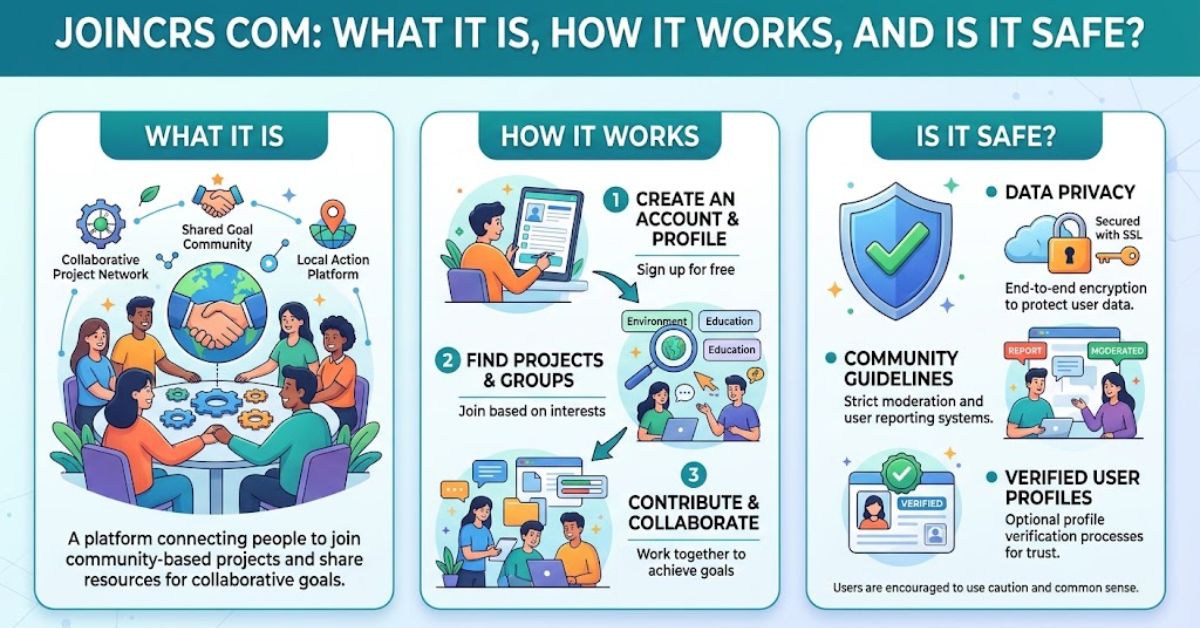
If a teacher tells you to open joincrs com, you may wonder what the website is and whether it is safe to use. The unfamiliar name can make it look like a separate learning website, but its purpose is much simpler. JoinCRS is associated with Classroomscreen, a browser-based classroom tool that helps teachers manage lessons and interactive activities. Students can use the join page to enter a session code and participate from a laptop, Chromebook, tablet, or phone.
This guide explains what joincrs com is, how the joining process works, what students should expect, and what to do when a classroom code does not work. It also covers privacy and basic security precautions so students, parents, and educators can make informed decisions before using the platform.
Quick Answer: What Is joincrs com?
joincrs com is a student-facing access route connected with Classroomscreen. A teacher starts an activity and provides students with a temporary join code. Students open the joining page in a web browser, enter the code, and access the active classroom activity.
It is not a traditional learning management system where students browse courses, manage grades, or build detailed profiles. Instead, it works more like an entrance to a teacher-controlled live session. Classroomscreen provides the main teaching environment, while the JoinCRS page gives students a simple way to participate.
In practical terms, the system separates teacher controls from student access. Teachers prepare and manage activities from their side of Classroomscreen. Students only need the current code provided during the lesson. This simple setup can reduce the need for additional student accounts, passwords, or software installations for supported activities.
What Is joincrs com?
joincrs com is connected to the Classroomscreen ecosystem and is used as a student joining route for interactive classroom activities. Classroomscreen is an education technology platform that gives teachers digital classroom tools such as timers, text instructions, polls, randomizers, work symbols, and other widgets. When student participation is needed, a joining process allows learners to connect from their own devices.
One important distinction is that JoinCRS is not the teacher’s main dashboard. Teachers work within Classroomscreen to prepare screens and control activities. The student-facing join experience is much more limited. Its purpose is to connect a participant to the correct active session rather than provide all the tools available to an educator.
Classroomscreen’s published privacy documentation includes the joincrs.com domain within the websites covered by its privacy practices. This connection is useful for parents and educators because it provides clearer context about who operates the broader service. Still, students should always use the classroom code and web address supplied directly by their teacher or school instead of trusting an unfamiliar link from another source.
How Does joincrs com Work?
The basic process uses a teacher-controlled session and a student join code. First, the educator prepares an activity through Classroomscreen. When an activity supports student participation, the teacher can provide the information students need to connect. Learners then open the joining page and enter the code shown or shared by their teacher.
The code works as a way to connect the student with the intended session. This is different from a permanent username and password. Students should therefore use the current code instead of assuming a code from a previous lesson will continue working. If a code is rejected, the teacher should be the first person to ask for an updated one.
Once connected, the student’s options depend on the activity the teacher has enabled. For example, a learner may be asked to submit a response or participate in a classroom poll. The teacher remains in control of the classroom environment. This makes JoinCRS more of a participation gateway than a full student portal.
How to Use joincrs com
Using joincrs com is generally straightforward. Start by getting the current joining code from your teacher. Open a modern browser on the device you are using and carefully enter the web address supplied by your school or teacher. When the joining screen appears, type the session code exactly as displayed and follow the instructions shown on your screen.
You normally do not need to search for a class by teacher name or school name. The session code is what connects you to the relevant activity. This design is especially useful in classrooms because students can move from instructions to participation without navigating a complicated dashboard.
If your teacher provides a QR code instead, you may be able to scan it using a compatible phone or tablet. Follow the teacher’s instructions because participation methods can vary by activity. Never enter personal information simply because an unrelated website claims it is required to access your class.
Do Students Need a joincrs com Account?
A major advantage of the JoinCRS joining experience is that students can participate in supported sessions without managing a conventional Classroomscreen account. Rather than remembering another email address and password combination, a learner can use the access method supplied by the teacher.
However, “no account required” should not be confused with “no information is processed.” Websites normally process some technical information to deliver pages, maintain security, and operate their services. Classroomscreen’s privacy documentation explains its broader data-handling practices and states that it does not sell personal information.
For younger students, schools and parents should still follow their normal educational technology policies. Teachers should explain what tool is being used and avoid asking learners to provide unnecessary personal details. Students should also avoid sharing classroom codes publicly because those codes are intended for the people participating in the lesson.
Is joincrs com Safe?
Available evidence supports treating the legitimate joincrs com service as part of the Classroomscreen environment rather than as an unrelated website. Most importantly, Classroomscreen’s own privacy policy specifically lists joincrs.com among the domains covered by that policy. The company also states that it does not sell personal information and does not place advertising on its websites and application.
That does not mean users should ignore normal online safety practices. A legitimate service can still be imitated by misleading search results, look-alike domains, or links shared by unknown people. Students should check the spelling of the address and preferably use the exact instructions supplied by their teacher or school.
Parents should also remember that privacy and cybersecurity are broader than whether a site “looks safe.” Technical information may still be processed when a web service is used. School policies, browser settings, device management, and the type of activity can also affect the overall experience. For the latest privacy details, the service provider’s current privacy documentation should take priority over claims made by third-party blogs.
What Information Does joincrs com Collect?
It is better to avoid claiming that JoinCRS collects “no data at all.” Even websites that do not require a personal account may process technical information required to provide and protect the service. Depending on how a service is used, this can include browser, device, network, or usage-related information.
Classroomscreen states in its privacy documentation that it aims to limit the use of personal data and does not sell personal information. This provides a more useful privacy signal than assumptions based only on whether students create accounts.
For U.S. schools, administrators should evaluate any educational technology according to their own district requirements and applicable student privacy obligations. Parents with concerns about a specific classroom activity can ask the teacher or school which Classroomscreen features are being used and what information students are expected to submit.
Common joincrs com Problems and Fixes
A rejected classroom code does not automatically mean the website is broken. First, check that every character has been entered correctly. Then confirm that you are using the latest code supplied by the teacher. An older code may belong to a session that is no longer active.
If the page itself will not load, check the internet connection and refresh the browser. You can also try reopening the page in an up-to-date browser. School-managed networks sometimes apply filters or restrictions, so a page that works on one connection may behave differently on a managed device.
Avoid repeatedly guessing codes or searching random websites for a replacement. The teacher controls the classroom activity and is the best source for the correct joining information. If several students experience the same issue, the teacher or school’s IT team may need to check the session or network configuration.
joincrs com vs. Classroomscreen: What Is the Difference?
The easiest way to understand the difference is to think of Classroomscreen as the teacher’s workspace and joincrs com as an entry door for participants. Teachers use the main platform to organize classroom screens and select the tools needed for a lesson.
Students do not need access to all of those controls. They mainly need a quick method for reaching the activity their teacher has prepared. A join code helps create that connection without forcing every learner through a full teacher-style dashboard.
This distinction also explains why someone searching for “joincrs com login” may not find a conventional login experience. The student workflow focuses on joining a session. Account management and lesson creation belong to a different part of the Classroomscreen platform.
Tips for Using joincrs com Safely
Students should get the website address and session code directly from their teacher whenever possible. Check the spelling carefully before entering information, especially when reaching the page through search results. A small spelling change in a domain name can sometimes lead to an unrelated website.
Do not share a teacher’s classroom code on public social media, forums, or group chats outside the intended class. A session code is designed to connect participants to a specific activity, so keeping it within the class helps reduce unwanted access attempts.
Finally, be cautious if a page unexpectedly asks for sensitive details such as payment card information, banking credentials, or unrelated account passwords. A normal classroom joining activity should not suddenly require financial information. When something looks different from what the teacher described, stop and verify the instructions with the teacher or school.
FAQs About joincrs com
What is joincrs com used for?
joincrs com is associated with the student joining experience for Classroomscreen. Students can use a teacher-provided code to access supported classroom activities.
Is joincrs com safe for students?
The legitimate domain is covered by Classroomscreen’s published privacy policy. Students should still use the exact address and code provided by their teacher and avoid look-alike websites.
Do I need an account to use joincrs com?
Students can join supported Classroomscreen activities through the joining process without a conventional student account. The teacher provides the information needed to enter the session.
Why is my joincrs com code not working?
The code may have been typed incorrectly, may belong to an inactive session, or may no longer be the current code. Ask your teacher to confirm the latest joining code.
Can I use joincrs com on a phone or Chromebook?
Because the joining experience is browser based, it can be used from common internet-connected devices with a compatible modern browser. The exact classroom experience may depend on the activity and school device settings.
Conclusion
joincrs com is best understood as a simple student access route within the Classroomscreen ecosystem. Instead of functioning as a separate course platform or social network, it helps students connect to teacher-led classroom activities using a session code. The process is designed to keep participation straightforward and browser based.
Available official privacy information also places the joincrs.com domain within Classroomscreen’s privacy framework. Still, good digital habits matter. Students should use codes supplied directly by their teacher, verify the website address, avoid sharing session details publicly, and never provide unexpected sensitive information. For parents and schools, checking the provider’s current privacy documentation remains the best way to evaluate changing data practices.